Personalization
Personalization controls how the poster display looks and feels. Use it to match your display to your theater, media room, arcade, or personal style.
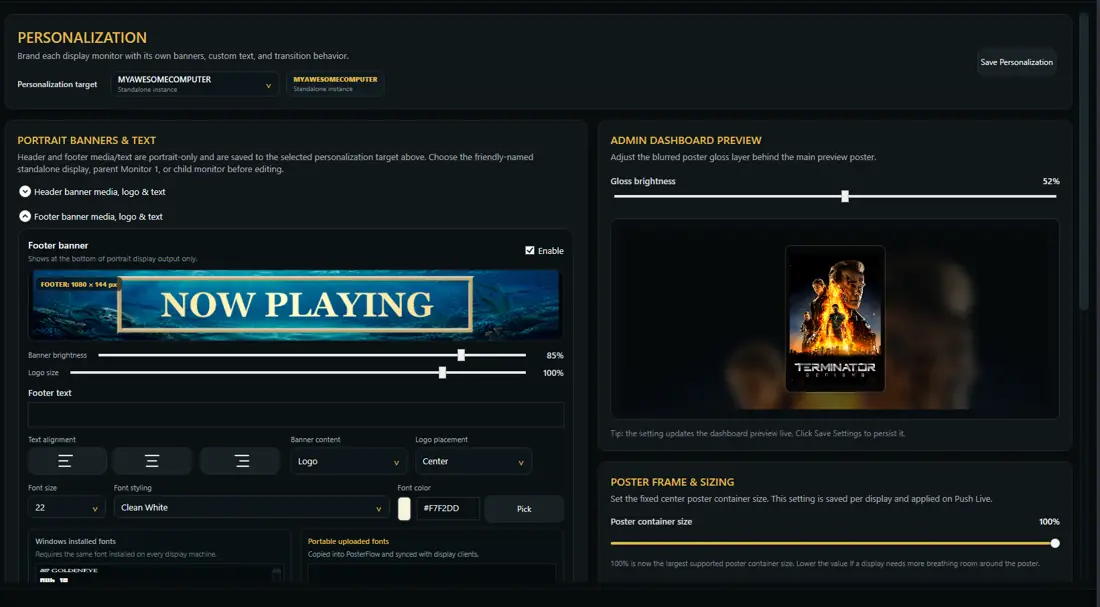
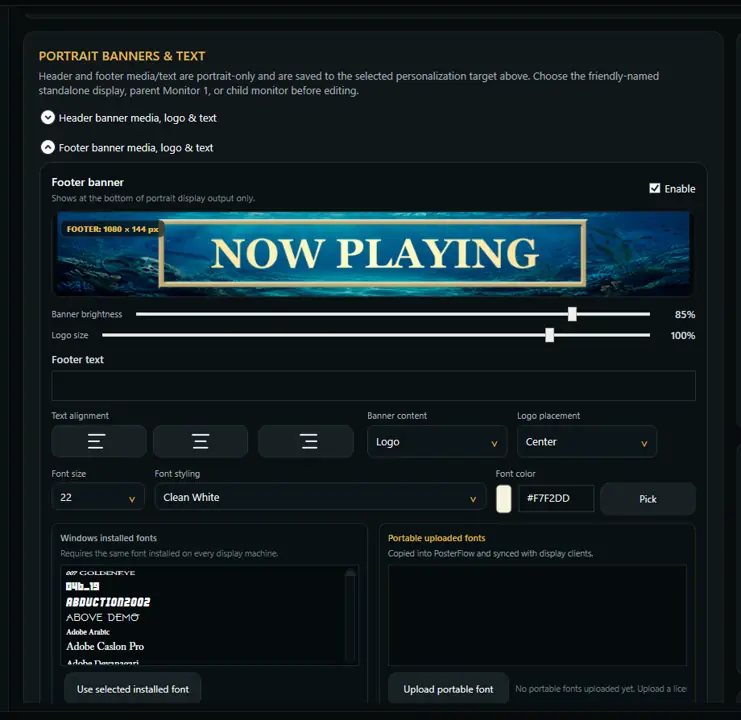
Common personalization areas
- header banner image
- footer banner image
- custom header text
- custom footer text
- custom message text
- poster size and layout
- info bar visibility and placement
- brightness or gloss-style visual tuning
- rating and metadata icon display
- transition style and timing
Header and footer banners
Header and footer banners can help the display feel like a custom theater sign rather than a generic slideshow. Use images that are readable at display distance and avoid cramming too much text into banner artwork.
Info bar
The info bar can show supporting details such as rating, metadata, or display position depending on the active build and settings. If the display feels too busy, reduce the info bar visibility or background emphasis.
Brightness and readability
For a dedicated poster screen, the display should look good from across the room. If the poster is hard to read, reduce competing overlays, simplify banner art, or adjust brightness/gloss settings.