Features
PosterFlow combines a desktop Admin Console with a poster Display Client. The Admin Console is where you manage the experience; the Display Client is what makes the screen look like a dedicated cinema poster panel.
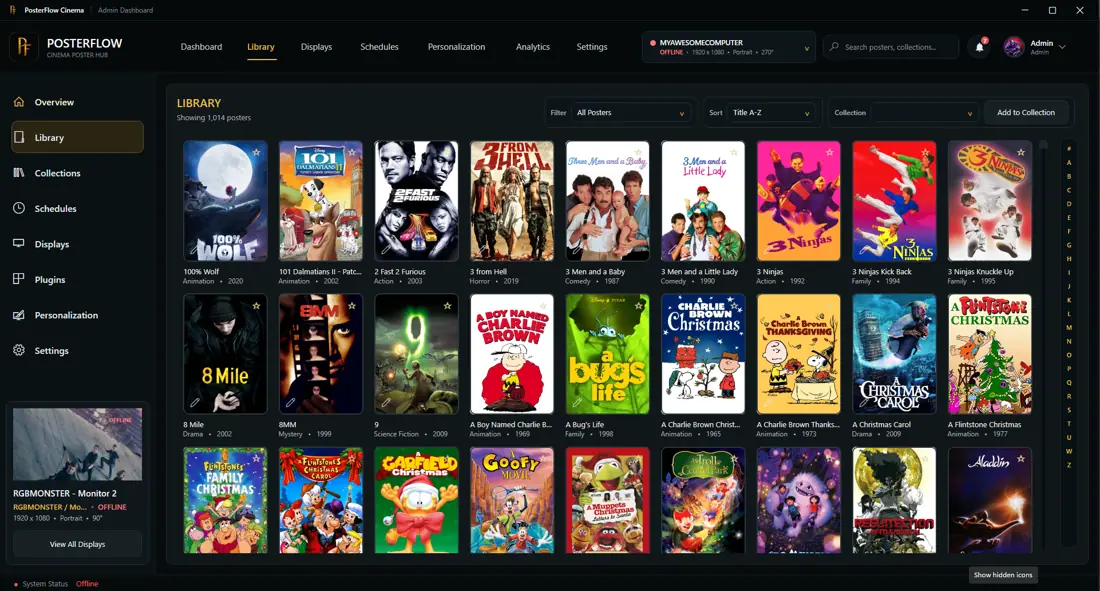
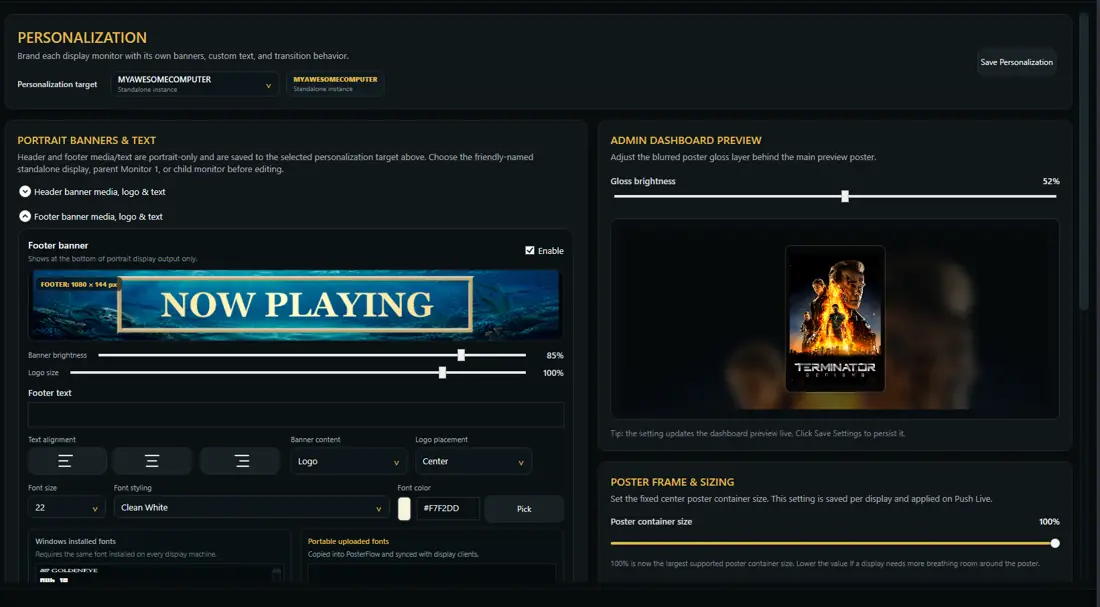
Core feature groups
| Area | What it does |
|---|---|
| Library | Browse posters, search titles, favorite items, and manage local poster collections. |
| Display Client | Show the configured poster experience on one or more screens. |
| Personalization | Tune banners, text, brightness, poster sizing, info bars, and visual layout. |
| Schedules | Control what appears at certain times or in lineup sequences. |
| Plugins | Import metadata or connect supported external sources. |
| Provider Mode | Use external provider-backed poster feeds in supported builds. |
Admin Console
The Admin Console is the control surface for PosterFlow. Use it to manage posters, collections, schedules, displays, personalization, plugins, app settings, and support/update areas.
Display Client
The Display Client is intended for the screen that shows the poster experience. It can be used on the same PC as the Admin Console or as part of a more dedicated display setup.
Early Access expectations
PosterFlow is evolving. In Early Access builds, features may move, labels may change, and some pages may be expanded over time. This wiki focuses on customer-facing behavior rather than implementation details.